> For the complete documentation index, see [llms.txt](https://docs.dbnetsoft.com/dbnetsoft/llms.txt). Markdown versions of documentation pages are available by appending `.md` to page URLs; this page is available as [Markdown](https://docs.dbnetsoft.com/dbnetsoft/raceresultexchange/readme/configuration.md).
# Configuration
## Configuration
A couple of steps have to be done in order to link RaceResult12 and RaceResultExchange.
### Link Race Result Account and Event
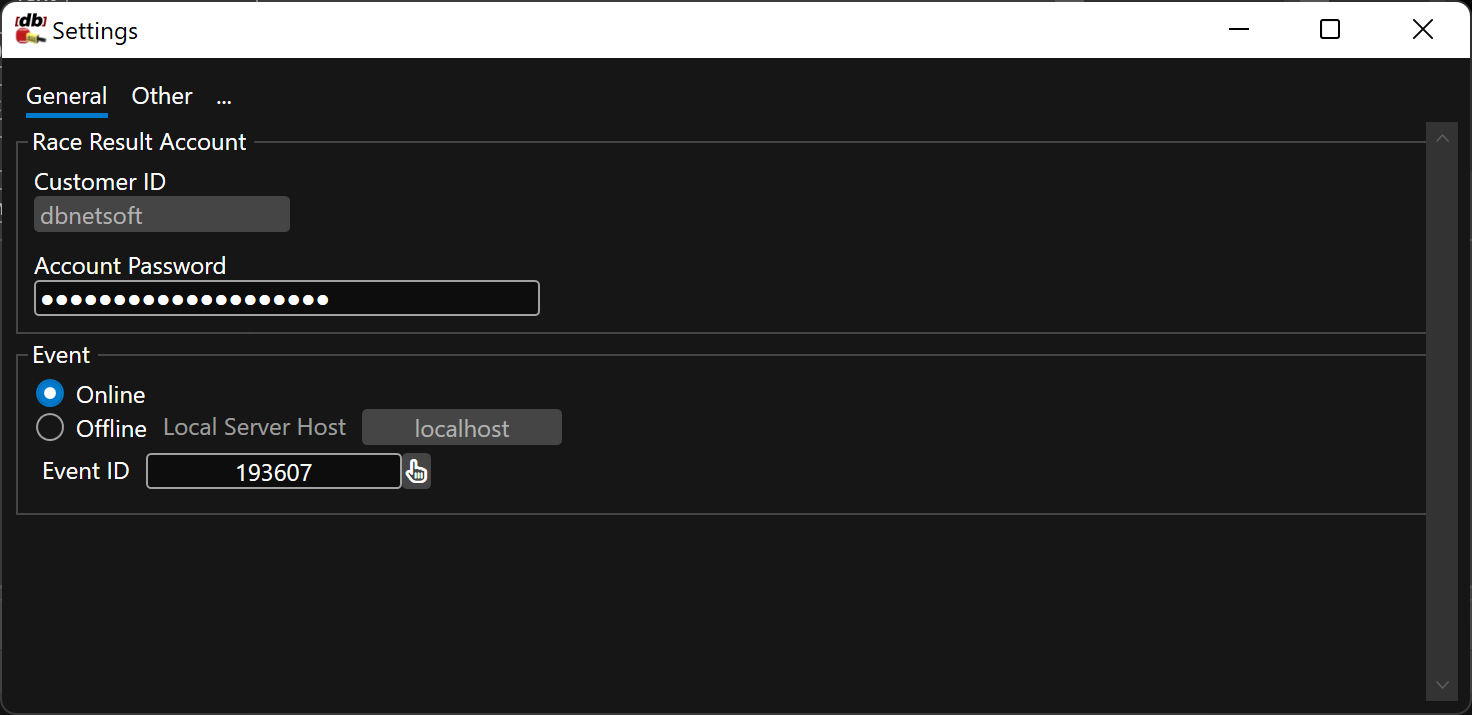
This settings can be found in `File` - `Settings`:
* The Customer ID is bound to yur license and already pre-filled
* Enter the password for this customer ID in RR12
* Select if you want to use an event that is online or offline. When working offline please specify the IP address of the computer running RR12 or `localhost` for the same machine
* Select an event to be working with (you can also select the event from the Main window)
Most settings need to be done in the software itself (`Settings` button in the navigation panel to the left), some settings directly in Race Result 12.
Settings Dialog
### Setup Race Result Event
The RR12 event does not need to be setup with Simple API to pull data.
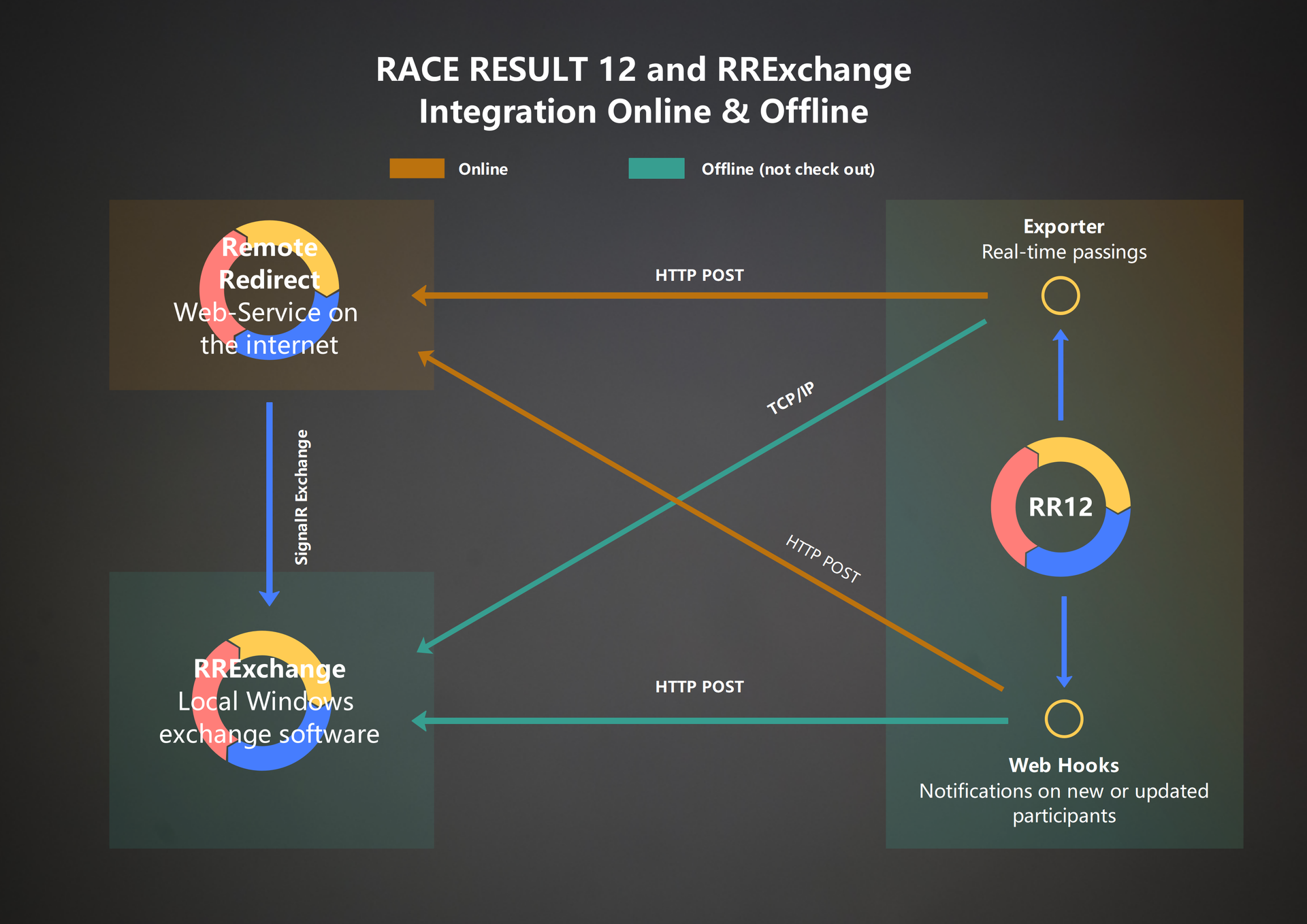
However, you might want to setup [web hooks ](/dbnetsoft/raceresultexchange/readme/configuration/webhooks.md)(for acting upon participant changes) or [exporters ](/dbnetsoft/raceresultexchange/readme/configuration/exporter.md)(for acting upon new raw data).