> For the complete documentation index, see [llms.txt](https://docs.dbnetsoft.com/dbnetsoft/llms.txt). Markdown versions of documentation pages are available by appending `.md` to page URLs; this page is available as [Markdown](https://docs.dbnetsoft.com/dbnetsoft/raceresultexchange/readme/licensing.md).
# Licensing
RaceResultExchange is licensed onto your unique RACE RESULT customer ID and comes in form of a small license file that need to placed with your installation.
{% hint style="warning" %}
Our licenses are no subscriptions, therefore the user has to renew his license in time before expiration.
{% endhint %}
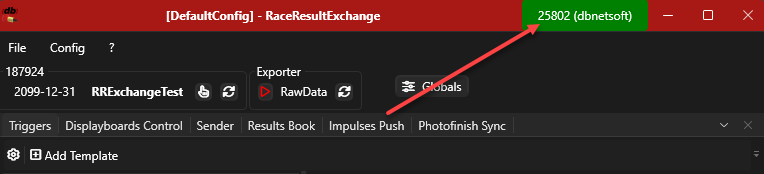
You can access the state of your curent license by clicking on the licensing button in the top right corner
Accessing license information
The licensing window will show you some data from your local computer (unique machine ID, machine name and user name) as well as shows the status of your license file
License information window
License files have `.licenses` as file extension and need to be placed in the applications installation directory, usually `c:\%PROGRAMFILES%\dbnetsoft\RaceResultsExchange` - you can click the open folder button in the window to open this directory.