# Display

<figure><img src="/files/ujZ8ae8qXSfJLoNIBpGW" alt=""><figcaption></figcaption></figure>

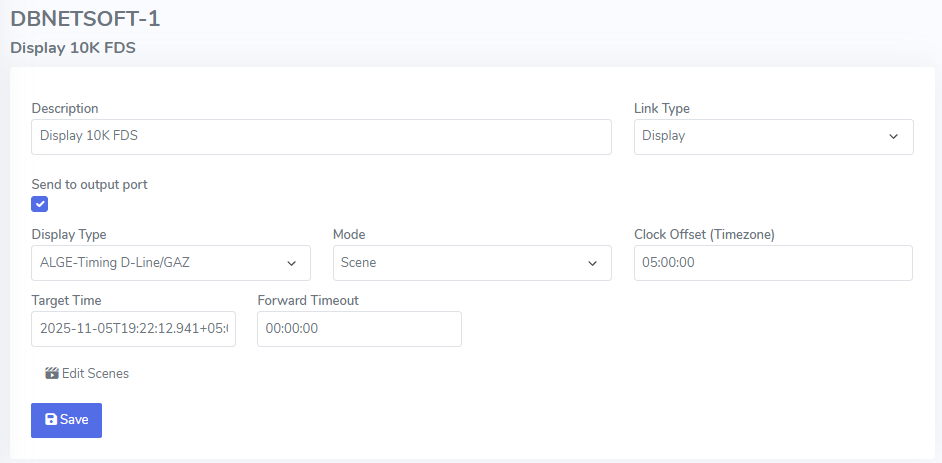
<table><thead><tr><th width="145"></th><th></th></tr></thead><tbody><tr><td>Display Type</td><td>Brand and make of the display type (not used at the moment)</td></tr><tr><td>Mode</td><td>Idle - do nothing<br>Scene - Send out link script output</td></tr><tr><td>Clock Offset</td><td>The offset to UTC time to allow for clocks in the current time zone</td></tr><tr><td>Target Time</td><td>Referecne or start time to be used for link scripts (usually only be configurd in <a href="/pages/2zVBbek2ZylHu8sgVvCe">Live</a> view)</td></tr><tr><td>Forward Timeout</td><td>When sending data from one location to another, sometimes the connection is severed to the input side. After a timeout, the output side is sent the current link script to not show outdated/old data</td></tr></tbody></table>


---

# Agent Instructions: Querying This Documentation

If you need additional information that is not directly available in this page, you can query the documentation dynamically by asking a question.

Perform an HTTP GET request on the current page URL with the `ask` query parameter:

```
GET https://docs.dbnetsoft.com/dbnetsoft/remoteredirect/configuration/operating-modes/display.md?ask=<question>
```

The question should be specific, self-contained, and written in natural language.
The response will contain a direct answer to the question and relevant excerpts and sources from the documentation.

Use this mechanism when the answer is not explicitly present in the current page, you need clarification or additional context, or you want to retrieve related documentation sections.
